One console for people, models and policy.
Add people, assign roles, choose models and set the rules every AI tool follows. Administrators run the deployment without gaining a view into anyone's private work.
Retvest Deploy · Coming soon Users, roles, access, models and licence.
How it works.
-
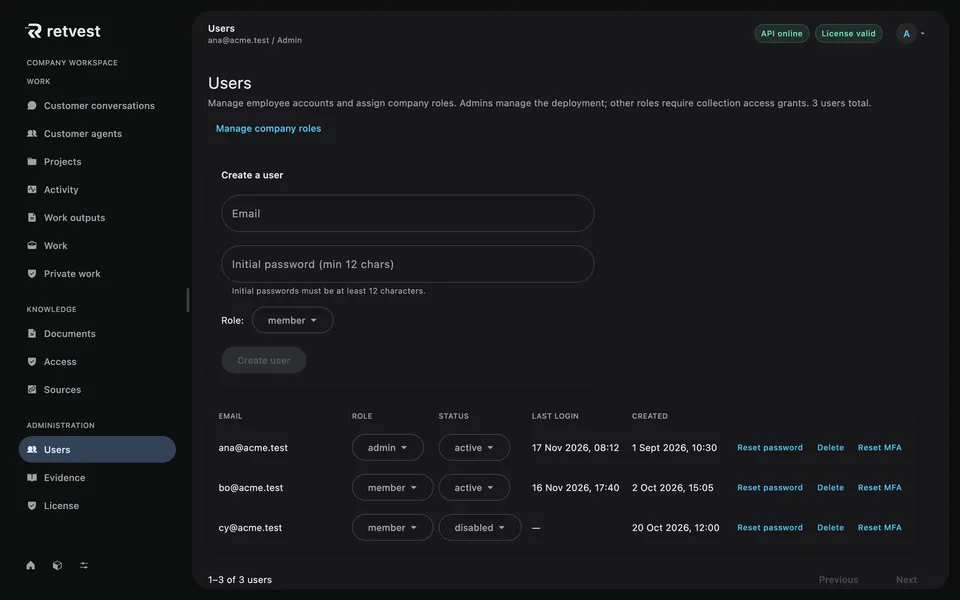
People and roles
Users, groups, roles and sessions, with support for your identity provider. Disabling someone takes effect everywhere.
-
Models and rules
Model settings, tool permissions, approval requirements and budgets, applied consistently across tools.
-
Run it well
Assign who reviews, retains, backs up and recovers. Admin rights never quietly include private employee content.
An administrator adds a new analyst, gives them the finance role, grants the reporting collection and later disables the account on their last day.
On the record.
Who changed what, under which authority and with what result. Work Run record visibility depends on the caller’s permissions.
How Deploy Work Run records workGo further.

Explore this Deploy workflow.
Read about the workflow’s scope and permissions in the Retvest Deploy preview.